When a "Zoom Installer" Is Not Zoom
How Iran's Nimbus Manticore Hid an AI-Assisted Backdoor Inside Legitimate-Looking Software — and Why Default-Deny Stops It
Date: May 29, 2026 Primary Sources: Check Point Research · SC World
Executive Summary
- What: An Iranian state-sponsored threat group abused a legitimate-looking Zoom installer flow and AppDomain hijacking to deliver a previously undocumented, AI-assisted backdoor called MiniFast.
- Who is affected: Aviation, defense, software, and telecommunications organizations — initially in the U.S., Europe, and the Middle East — and any organization that allows users to download and run installers without approval.
- Severity: High — targeted state-sponsored espionage with command-and-control capability. No customer patch resolves this; it is an execution-control problem.
- Action required: Move to default-deny application control so unauthorized installers, DLLs, and child processes cannot run, regardless of what they are named.
Overview
Attackers no longer need to send obviously suspicious malware. They can abuse legitimate-looking installers, fake meeting links, career lures, SEO-poisoned download pages, and normal software-installation behavior to hide malicious code inside activity that looks routine.
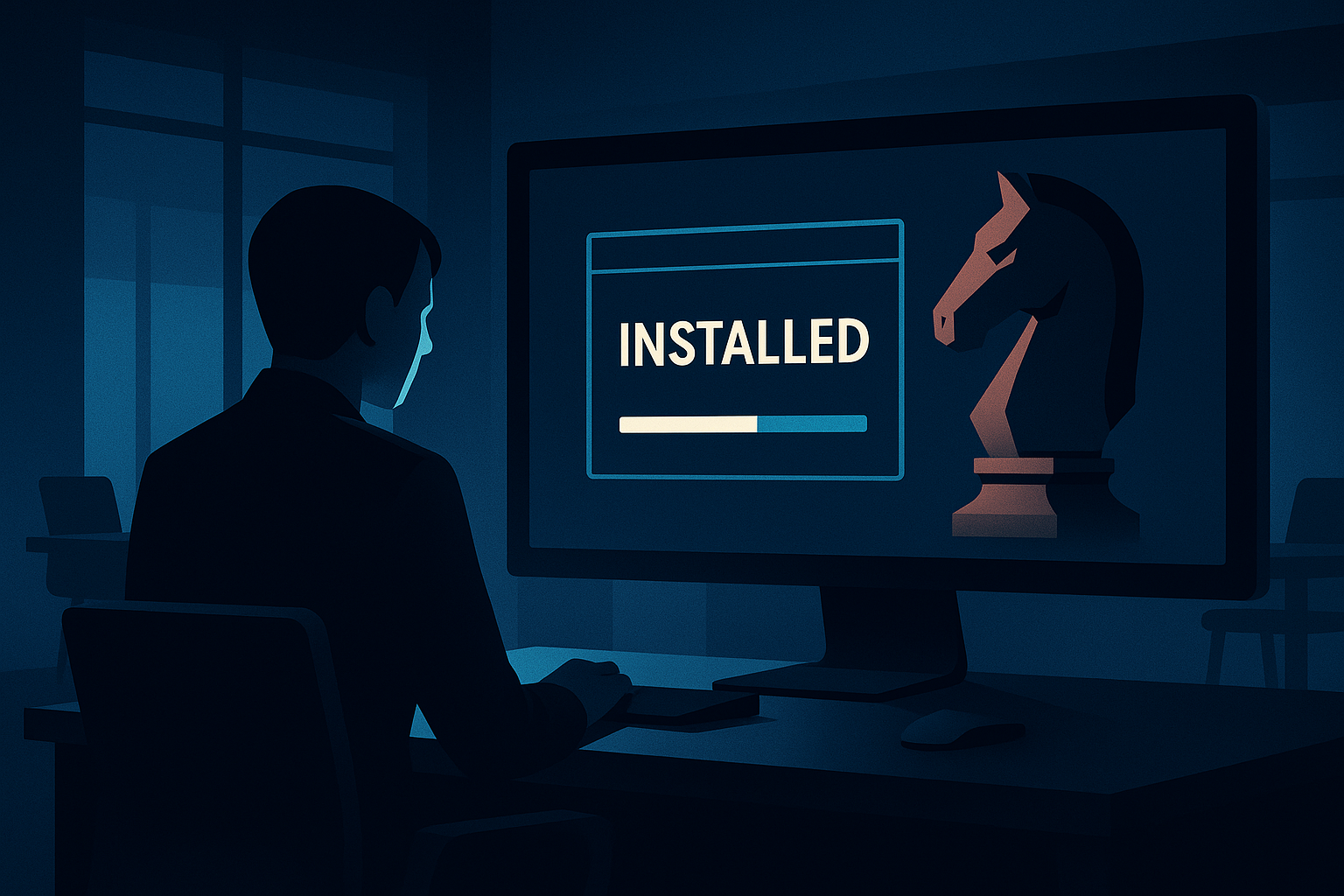
According to Check Point Research and SC World, the Iranian state-sponsored group Nimbus Manticore — also tracked as UNC1549 and reported to be affiliated with Iran's Islamic Revolutionary Guard Corps (IRGC) — ran exactly this kind of campaign during 2026. The group targeted the U.S. aviation sector along with defense, software, and telecommunications organizations, using aviation- and career-themed phishing lures. One infection chain abused a trojanized Zoom installer to blend malicious activity into what looked like a legitimate software installation, and the campaign delivered a new, AI-assisted backdoor that Check Point named MiniFast.
The important part for business leaders is not the brand name on the installer. The problem is that unauthorized code was allowed to execute inside legitimate-looking software workflows. That is a problem White Cloud Security (WCS) Trust Lockdown is built to prevent.
Threat Summary
| Field | Detail |
|---|---|
| Threat actor | Nimbus Manticore (also tracked as UNC1549), reported IRGC-affiliated |
| Campaign type | State-sponsored espionage / backdoor delivery |
| Targeted sectors | Aviation, defense, software, telecommunications |
| Targeted regions | United States, Europe, Middle East |
| Initial access | Phishing (fake meeting invites, career/HR lures), SEO poisoning, fake software download pages |
| Key techniques | Trojanized Zoom installer flow, AppDomain hijacking, scheduled-task abuse for persistence |
| Payload | MiniFast backdoor (previously undocumented, command-and-control capable) |
| Notable trait | Reported AI-assisted malware development for faster iteration |
| Patch available | N/A — this is an execution-control problem, not a single CVE |
Technical Analysis
How the Attack Works
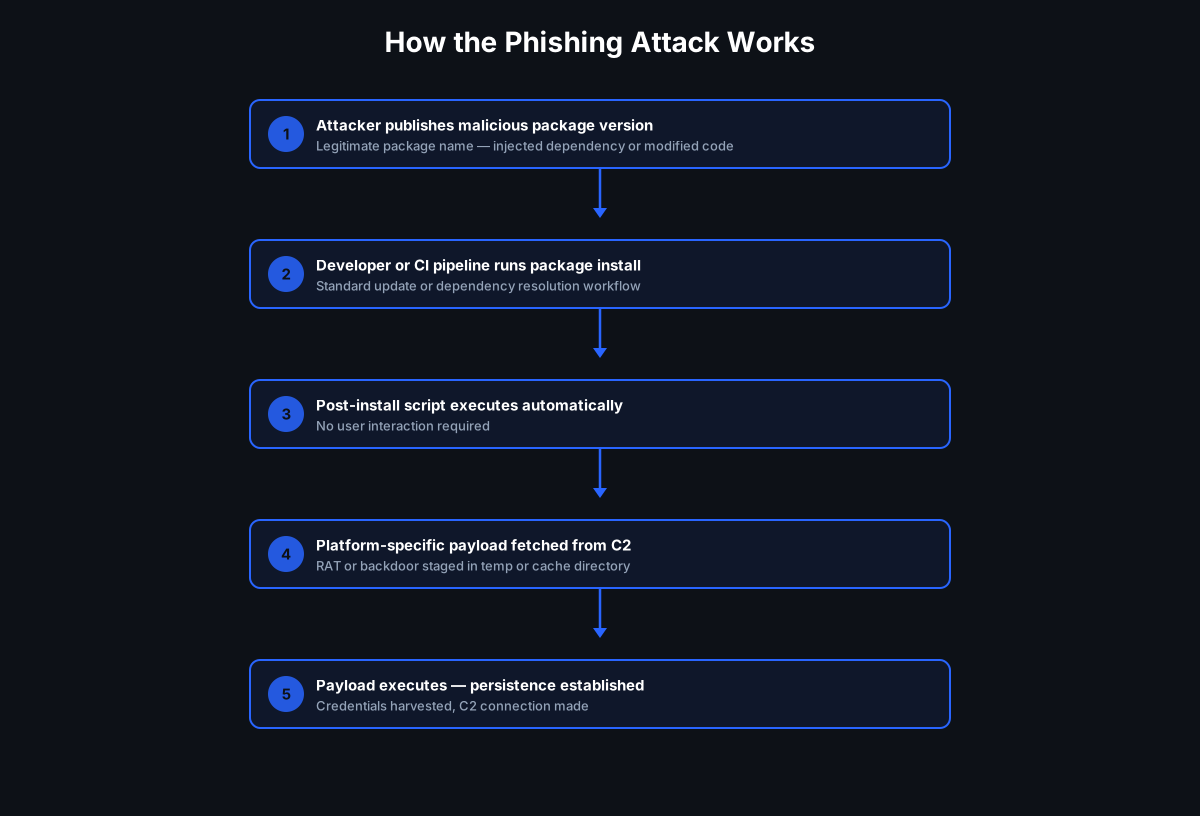
Based on reporting from Check Point Research and SC World, the campaign followed a chain like this:
- Lure delivery. Victims received aviation- and software-themed phishing — fake meeting invitations and career-related messages, in some cases impersonating a U.S.-based airline. Check Point also reported the group adding SEO poisoning and fake software download pages (for example, a page impersonating a download site for the SQL Developer database tool) to its playbook so victims searching for legitimate software landed on attacker-controlled installers.
- Legitimate-looking execution. Instead of a crude malware attachment, one chain abused a Zoom installer's execution flow. The actor researched how the real application installs and runs, then integrated malicious activity into that flow so it resembled normal installation behavior — including hijacking legitimate scheduled tasks for persistence.
- AppDomain hijacking. The group used AppDomain hijacking — placing trojanized
.configfiles alongside legitimate .NET applications so execution is redirected into a malicious DLL that runs inside a legitimate process. - Backdoor deployment. The chain delivered MiniFast, a previously undocumented backdoor with command-and-control capability. Check Point reported its C2 traffic is JSON-formatted and disguised to look like Chrome browser activity.
Payload and Impact
MiniFast is a backdoor, so the business impact is the standard espionage toolkit: remote command execution, file operations, process control, privilege actions, and persistence — a foothold for follow-on data theft and lateral movement. Check Point also noted indicators that the malware was AI-assisted in its development, which suggests the group can iterate and adapt tooling more quickly. That matters, but it does not change the core security problem: the attack still depends on unauthorized code being allowed to execute.
Why Traditional Defenses Struggle
This attack is dangerous precisely because so much of it looks legitimate:
- The user believes they are running real software — a meeting installer or a business tool downloaded from a search result.
- Security tools see familiar software names and normal-looking installation activity, including legitimate scheduled tasks and signed .NET processes.
- The malicious component hides inside a plausible workflow — a trojanized
.configfile or an unauthorized DLL loaded by a legitimate process via AppDomain hijacking. - AI-assisted malware can change quickly, eroding the value of signature- and reputation-only defenses that must first know a sample is bad.
The key risk is not "Zoom." The risk is unauthorized software execution and unauthorized child-process behavior wearing the costume of legitimate software.
How White Cloud Security Trust Lockdown Stops This
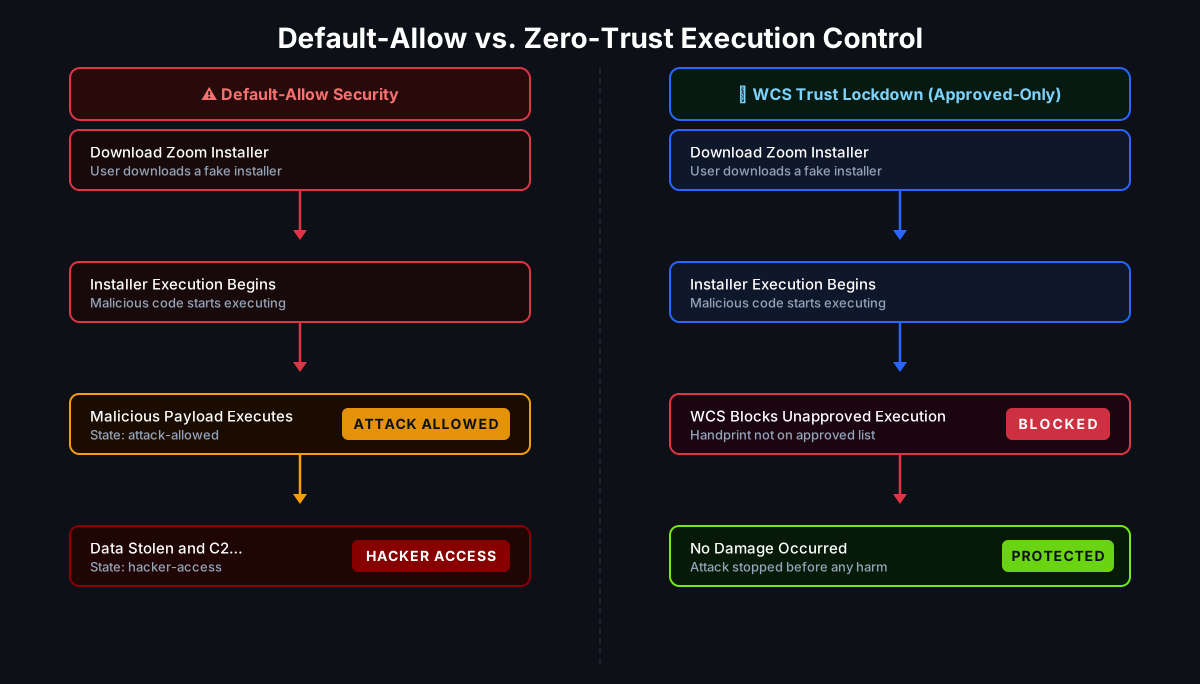
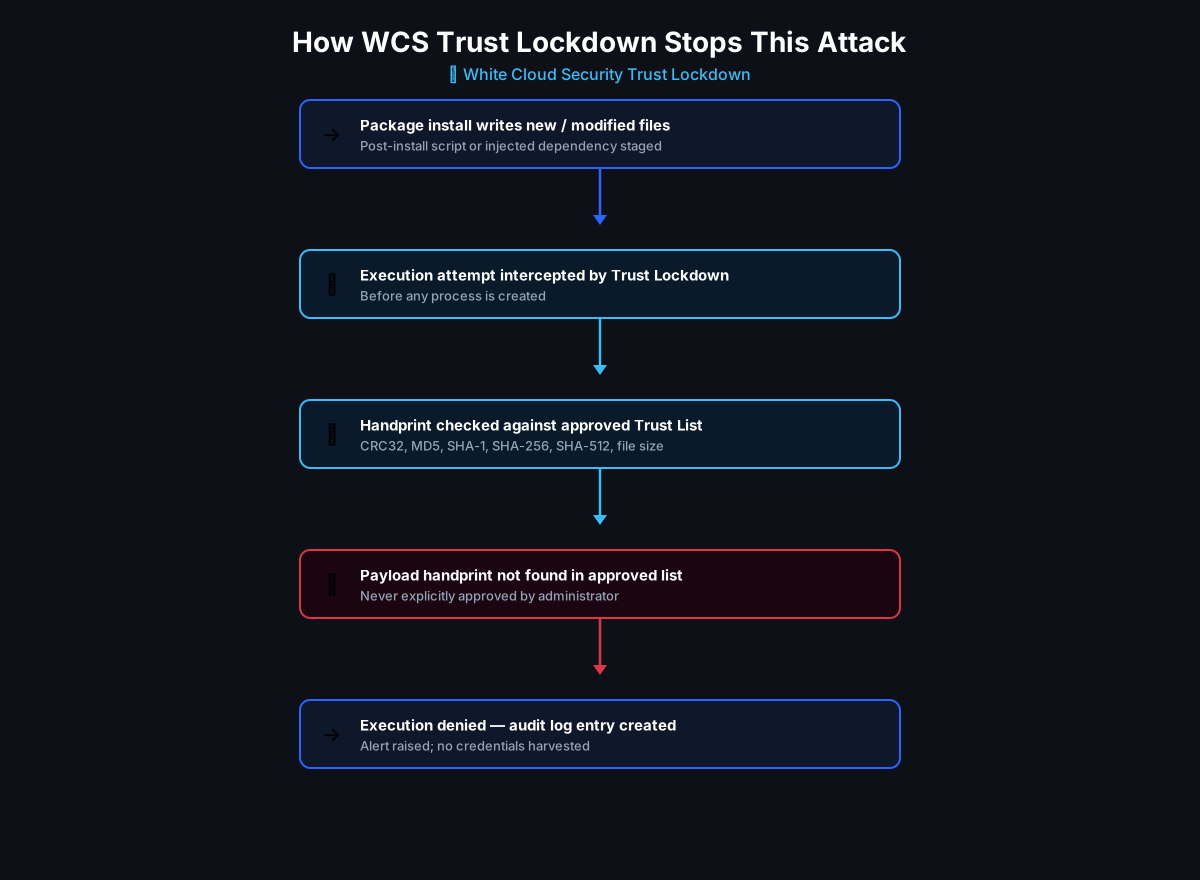
WCS Trust Lockdown uses a default-deny, Zero-Trust App Firewall model. Nothing executes unless it has been explicitly Approved — by application, by publisher/certificate, by handprint (multi-hash plus file length), by approved parent-child relationship, and by policy. Everything else is Denied before it runs.
Mapped to this campaign:
| Attack step | WCS control that blocks it |
|---|---|
| Fake or modified Zoom installer downloaded from phishing or an SEO-poisoned page | Installer is Denied unless its handprint or certificate matches an approved Permit policy |
| Malicious DLL loaded via AppDomain hijacking inside a legitimate .NET process | Unauthorized DLL does not match an approved handprint/certificate and is Denied before it loads |
Trojanized .config redirecting execution to an unknown payload |
The unauthorized payload it points to is Denied at execution time |
| MiniFast backdoor dropped and launched | Unknown executable is Denied — no signature or family name required |
| Unexpected child process spawned from an installer, browser, or scheduled task | Parent-child relationship is not Approved, so the child process is Denied |
Two points worth emphasizing for leadership:
WCS does not need to know that the file is called MiniFast to stop it. If the file, certificate, handprint, parent process, or relationship is not authorized, it is denied.
And even when an attacker uses a genuinely signed installer, if that installer drops or loads a component your organization never approved, that component can still be Denied. WCS also gives administrators visibility into what was blocked, so they can review and then Permit or Deny based on governance — not guesswork.
At White Cloud Security, we continue to track and report new hacking methods and tools — not just because of their immediate threat, but because patterns of reuse often expose the playbooks of these cybercriminal groups.
White Cloud Security blocks unauthorized software even when it arrives inside a legitimate-looking installer and is launched under a legitimate process.
The Bigger Lesson: Change the Question
Traditional security asks: "Is this known bad?" That question always runs a step behind the attacker — especially when malware is AI-assisted and changes faster than signatures can keep up.
WCS asks a different question: "Is this approved to run here, by this user, from this location, for this business purpose?"
That is the foundation of WCS SAFE GRC™ governance:
- What is allowed to run?
- Where is it allowed to run?
- How is it allowed to execute?
- Who is authorized to run it?
- Why is it needed?
- When should it be Approved?
When those questions are answered in policy, a trojanized Zoom installer never gets the benefit of the doubt — because it was never on the Permit list in the first place.
Recommended Mitigations
- Do not allow users to install meeting tools, remote-access tools, developer utilities, or browser-downloaded installers without approval.
- Permit only known-good software from approved sources.
- Control child-process execution from installers, browsers, email clients, archive tools, and scripting engines.
- Review blocked unknown applications before approving them — let governance, not urgency, drive the Permit decision.
- Use default-deny controls in aviation, defense, healthcare, finance, manufacturing, legal, and MSP environments.
- Treat AI-assisted malware as a reason to strengthen execution control, not just detection.
WCS is a preventive execution-control layer. It does not replace phishing-awareness training, EDR, patching, or network controls — it ensures that when one of those layers is bypassed, unauthorized code still cannot run.
Key Takeaways
- The danger was never the word "Zoom." It was unauthorized code executing inside legitimate-looking software.
- Nimbus Manticore / UNC1549 used phishing, SEO poisoning, a trojanized installer flow, and AppDomain hijacking to deliver the MiniFast backdoor — all reported by Check Point Research and SC World.
- Signature- and reputation-based defenses struggle against AI-assisted malware that changes faster than it can be cataloged.
- WCS Trust Lockdown's default-deny model blocks unauthorized installers, DLLs, payloads, and child processes before they run — no malware-family name required.
- The most effective place to stop this class of attack is before unauthorized code executes.
Sources
- Check Point Research — Fast and Furious: Nimbus Manticore Operations During the Iranian Conflict (Nimbus Manticore / UNC1549, MiniFast backdoor, trojanized Zoom installer, AppDomain hijacking, SEO poisoning).
- SC World — Reporting on Iranian state-sponsored group Nimbus Manticore targeting the U.S. aviation sector with the AI-assisted MiniFast backdoor.
Further Reading
- When Your AI Tool Becomes the Attacker's Front Door: The Vercel Breach and OAuth Trust Abuse
- Notepad++ Supply Chain Attack: Chrysalis Backdoor
- ClickFix: The Social Engineering Attack That Turns Users Into Their Own Attackers
- Why Informed CTOs and CFOs Use Trust Lockdown Instead of Detection-Based Security